I have been building online bankruptcy software for attorneys for the past 7 years, so I want to share all the different options you have when it comes to bankruptcy software. The reason I love the bankruptcy space is that my brother is a bankruptcy lawyer with his law firm in Florida, so I see how he helps people daily. I also work with around 100 bankruptcy attorneys nationwide, so I know what software they use and need.
When I talked with my brother, he provided a lot of the pain points that bankruptcy attorneys have with their software. The first pain point I solved for my brother was the poor quality of online bankruptcy leads. He had horror stories where he would buy online bankruptcy leads, and the individual would be looking to sign up for disability or something completely unrelated to bankruptcy. After we solved that pain point, I wanted to build additional online bankruptcy software for him to address other pain points, which we could open up to other attorneys.
This article is long because I want you to compare different bankruptcy software to make the best decision. I will break down marketing software for attorneys, lead relationship managers, and filing software. My goal is for you to be able to make an informed decision about which bankruptcy software to use if you are an existing firm or
if you are considering how to open a bankruptcy law firm.
Different Types of Online Bankruptcy Software
Below are the main options within bankruptcy software, including marketing software, lead relationship manager (LRM) to convert leads into clients, and client relationship management (CRM) and bankruptcy filing software, as shown in the picture below.
Unfortunately, some of these tools do not have all of the features you may be looking for, so I see many attorneys, such as a bankruptcy attorney friend in Michigan, having to use their filing software and then use another tool for texting, document collection, and payments. That is due to potential limitations to his filing software.
Other bankruptcy attorneys I know use services that help send texts or hire virtual paralegal services to fill out the petitions. These are not specific to bankruptcy only, so I won't cover them in this article.
For this article, I'll start with CRM and filing software, then lead relationship managers, and then marketing services. Hopefully, you can jump around to what you see fit.
Bankruptcy Filing Softwares
There are 4 bankruptcy filing software programs that have e-filing capabilities, and each has its own set of pros and cons. Here are the different software options, and I'll cover what I know about each.
1. Fresh Start Finance Bankruptcy Software
2. Best Case Desktop and Online
3. Jubilee Online Bankruptcy Software
4. Next Chapter Bankruptcy Software
I am starting to put together comparison articles, so check out my recent
Jubilee vs Fresh Start Finance bankruptcy software. Let's go through each one, and each one has e-filing capabilities. There may be more online bankruptcy software, but I cannot confirm that those software have e-filing capability.
Fresh Start Finance Bankruptcy Software
Fresh Start Finance's goal is not to be a product you have to force to work the way you want.
The product was built to speed up the bankruptcy filing process and automate things that should be automated. The goal is also for Fresh Start to be the most flexible online solution available. I was heavily involved in this project, working with bankruptcy attorneys and paralegals to define the best possible product.
Here are some of the features that Fresh Start has:
1. Document template creator for customized pleadings and motions
2. Smart Auto Setting Exemptions - Setting laws and map them to A/B once, and it will automatically set them going forward
3. Local and global creditor database
4. Creditor Matrix Customization - Create the creditor matrix you want
5. Creditor linking and unlinking
6. Court notice automation
7. Integrated client intake experience (See where your clients are in the intake process)
8. Automated document request and upload (You have the flexibility to upload documents or have clients do that for you)
9. Income calculators
10. Ability to move creditors between D/E/F
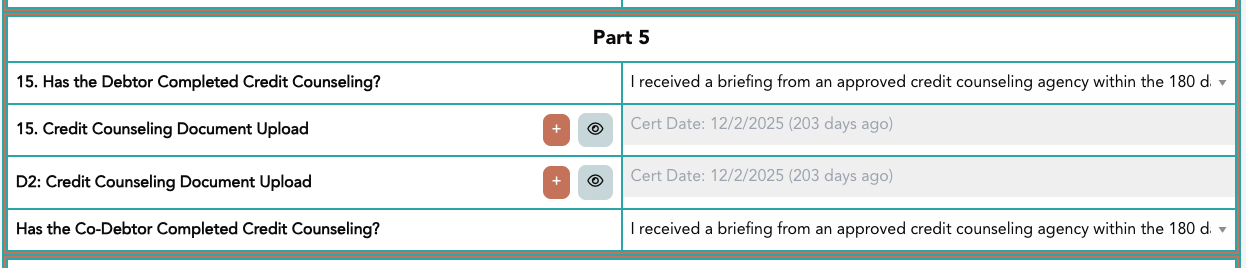
Some of the unique features that Fresh Start has are document reading capabilities, where you upload the Credit Counseling certificate, and the document reader will read the document and let you know how many days ago the certificate was completed. If it's beyond 180 days, it will tell you in the QA check on e-file.
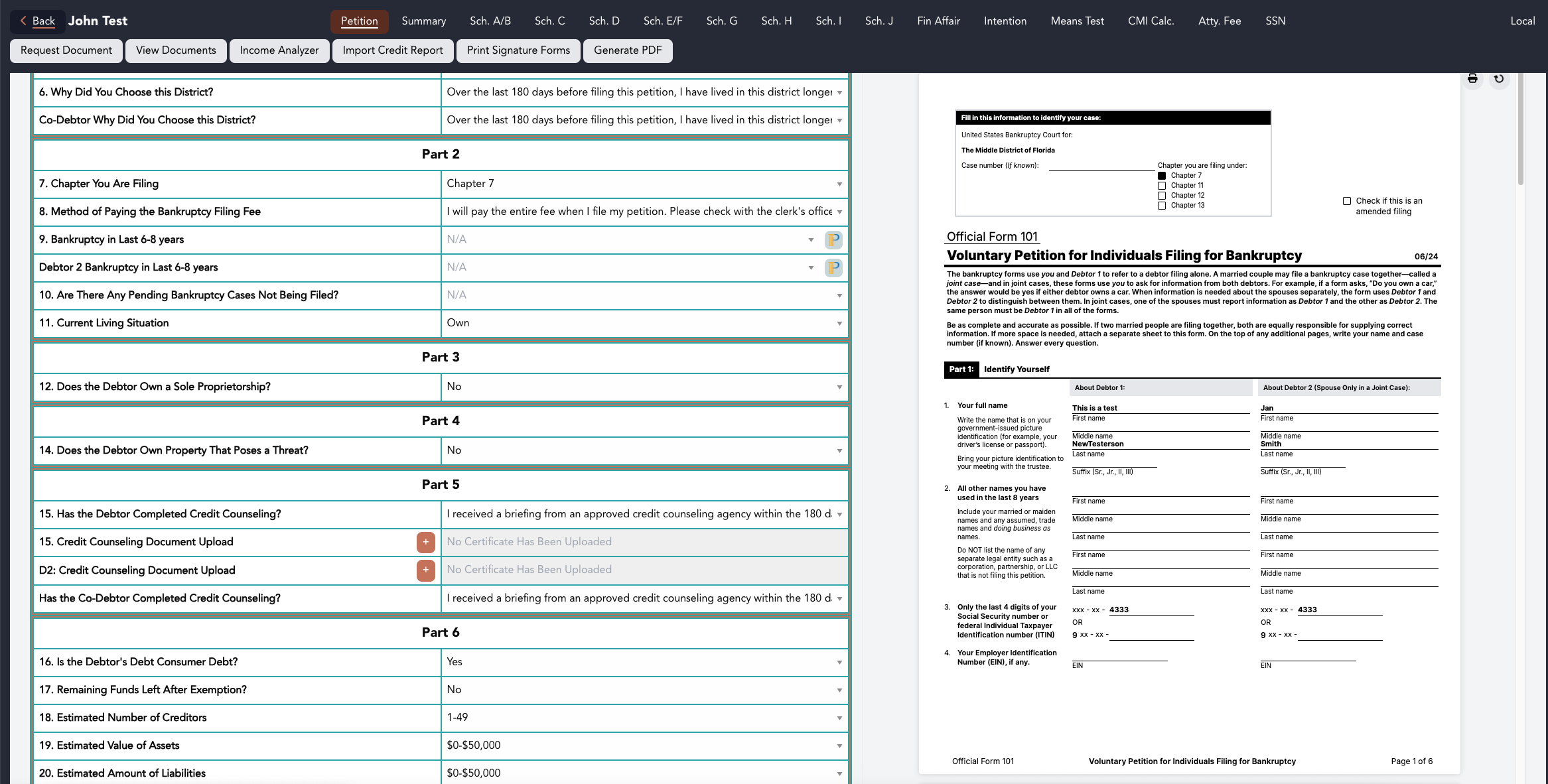
Here's a picture of the Fresh Start filing software user experience. You'll notice the filing forms update in real time as you update them. This allows you to avoid mistakes, and it is easy to visualize what paralegals or you are filling out. The questions are also dynamic, and the questions asked are pertinent to the questions you are filling out.
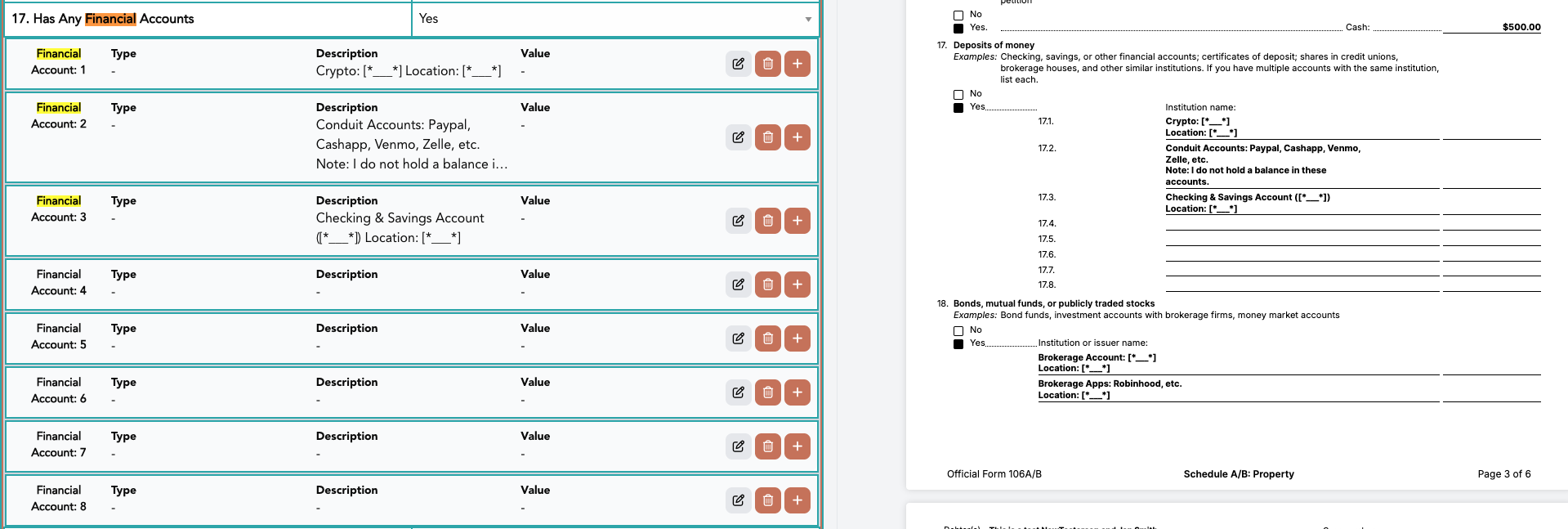
One issue you may run into is when a client has 8 financial accounts but the bankruptcy forms only have space for 5 options. Fresh Start can hold an infinite number of creditors, and the size of the PDF is dictated by what is added to the PDF.
Do you need to add attention to each creditor on Schedule D/E/F and don't want to do it manually?? You can do that with Fresh Start.
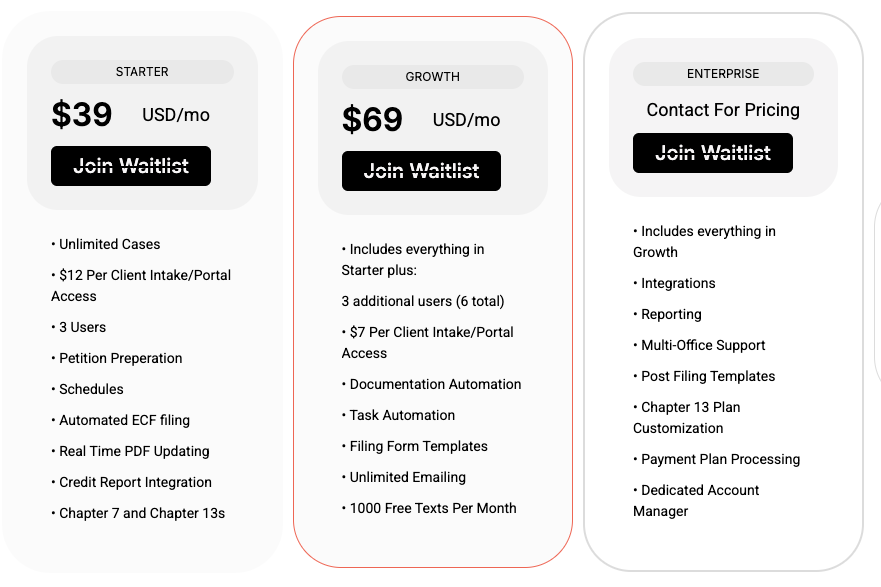
Per the pricing page, Fresh Start is $39 per month for the starter plan and $69 per month for the growth plan, so that's $468 per year for unlimited filings in the starter plan and $828 per year for unlimited filings for the growth plan. You do not have to sign a long commitment, and you can cancel at any time. In addition, you can get a free trial. Her aere the features available in both plans. Many attorneys will choose one of those plans, but there's also an enterprise option that is based on your filing data.
Best Case Desktop and Online
I believe Best Case Desktop is the largest bankruptcy software because it works for many different use cases. That said, I have heard the desktop version works best, but it's only available on desktops. So, if you are not in the office, you cannot file cases.
The desktop software just plain works. You can link and unlink creditors, you can "break" the software, and you have a lot of flexibility for your case load. For example, on date fields that other software requires a date, you should be able to just type in "Unknown". This can be helpful if the client just doesn't remember when they started the credit card.
In addition, you are able to e-file in every district across the United States, and you can also e-file emergency petitions, and then come back and then file the rest of the case.
So, in terms of flexibility, Best Case Desktop is extremely flexible.
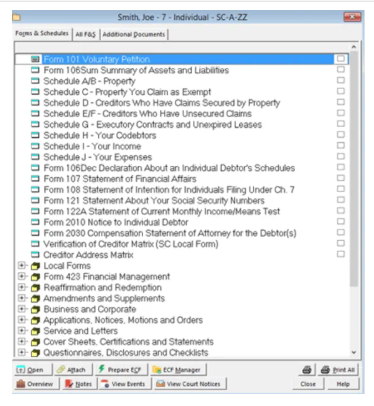
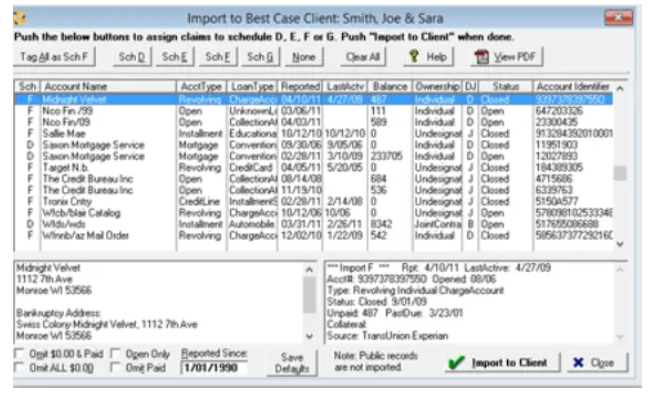
Softwareadvice.com has a few screenshots of the user interface, so you can get a sense of the website's look and feel.
I believe the Best Case Online software was launched during the COVID-19 pandemic. My understanding is that the software doesn't have as many features as the desktop option, so many attorneys haven't moved to the online version.
Per its website, Best Case Cloud is $99 per month, and you get a 30-day free trial. Best Case Desktop can be between $1,750 to $4,500 per year, based on what you are looking for. You also do not have to pay a maintenance fee the first year, but that can be between $800 and $2700 per year, based on what you are looking for.
Next, let's look at Jubilee's online bankruptcy software.
Jubilee Online Bankruptcy Software
Jubilee is a popular online bankruptcy filing software. Here are some of the features it has available:
1. Electronic filing
2. Step-by-step data entry
3. Bankruptcy calculators
4. Creditor database
5. Multi-vendor integration
6. Get great customer support
7. Court notices
8. Legal payments
9. E-signatures and client communications
Jubilee Pro offers various pricing options, starting at $95 for one case. Then it has 36 cases at $995, up to 500 cases for $4,995. It also has per case filing from $149.99 per case to $59.99 per case.
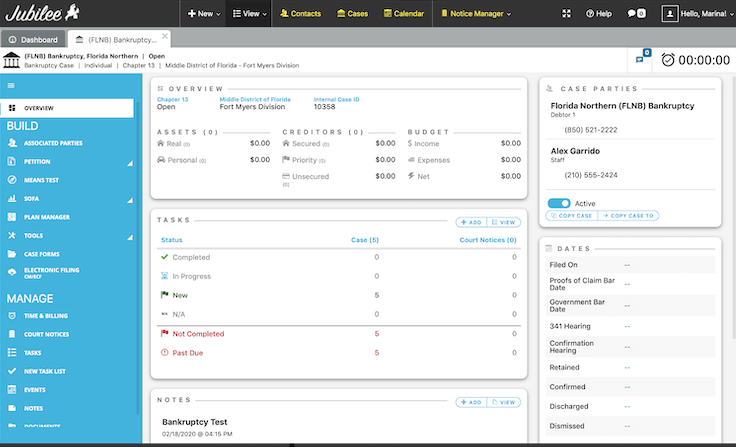
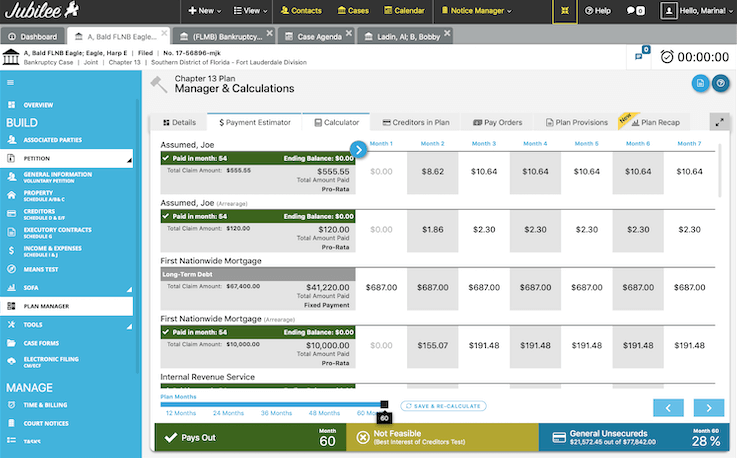
Clio provides screenshots of the user experience below.
Next Chapter Bankruptcy Software
Next Chapter is another online bankruptcy software option. Next Chapter was founded in 2013, and then launched in 2016, and then was
acquired by FastCase in 2019.
I have spoken with a small handful of bankruptcy attorneys who use this product. Here are some of its features.
1. Client Portal
2. Notices
3. Virtual Paralegal
4. Client Texting
5. Clio
6. Directory
7. Chapter 13
8. Credit Report
9. Immigration
10. ECF Integration
11. Payments
12. Cloud
13. Credit Counseling
14. NextChapter Docs
15. Help Center
16. Mailing Integration
In terms of pricing, NextChapter charges $159 for 4 cases per year and $1,999 for unlimited cases. There are other features such as a Chapter 13 package for $250 per year, doc creator for $500 per year, and then various other options.
Let's next cover bankruptcy CRMs. Now, some individuals may use their bankruptcy filing software as their CRM if it has enough features to support it. For example, one of my bankruptcy attorney friend uses BestCase Desktop and a bankruptcy CRM because he doesn't get payment functionality or document uploading or texting functionality in BestCase desktop.
Bankruptcy CRMs
There are no bankruptcy-specific CRMs that I know of, but many are general legal CRMs that bankruptcy attorneys use. Let's go through each one.
Clio Manage
Clio is perhaps the biggest CRM in the legal space, and I know many bankruptcy attorneys who use it. Clio helps with your matter details, follow-up statuses, contact info, etc. If you don't have an API set up, though, I've heard that it can be a bit of a manual process.
That said, here's some functionality that Clio has (as it has a lot of functionality):
- Case and matter management
- Client and contact management
- Task management
- Calendar and deadlines
- Document management
- Time tracking
- Billing and invoices
- Payment and accounting workflows
- Client communications
I believe that Clio has already came out with something called Manage AI which works inside Clio Manage.
Cogent CRM
I believe Cogent CRM was built by bankruptcy attorneys, and their software helps you navigate where each of your clients are in the bankruptcy funnel.
My understanding from those who I know who use it is that you basically have the clients on a journey from lead to discharge, and you can move clients in and out of that journey as you see fit.
Another main CRM I have seen is Lawmatics, but I haven't seen as many bankruptcy attorneys using that option recently.
Bankruptcy Leads Relationship Manager
There are two main bankruptcy leads relationship managers, and one is Clio Grow, and the other is a product I built called Ascend Bankruptcy LRM.
Ascend LRM
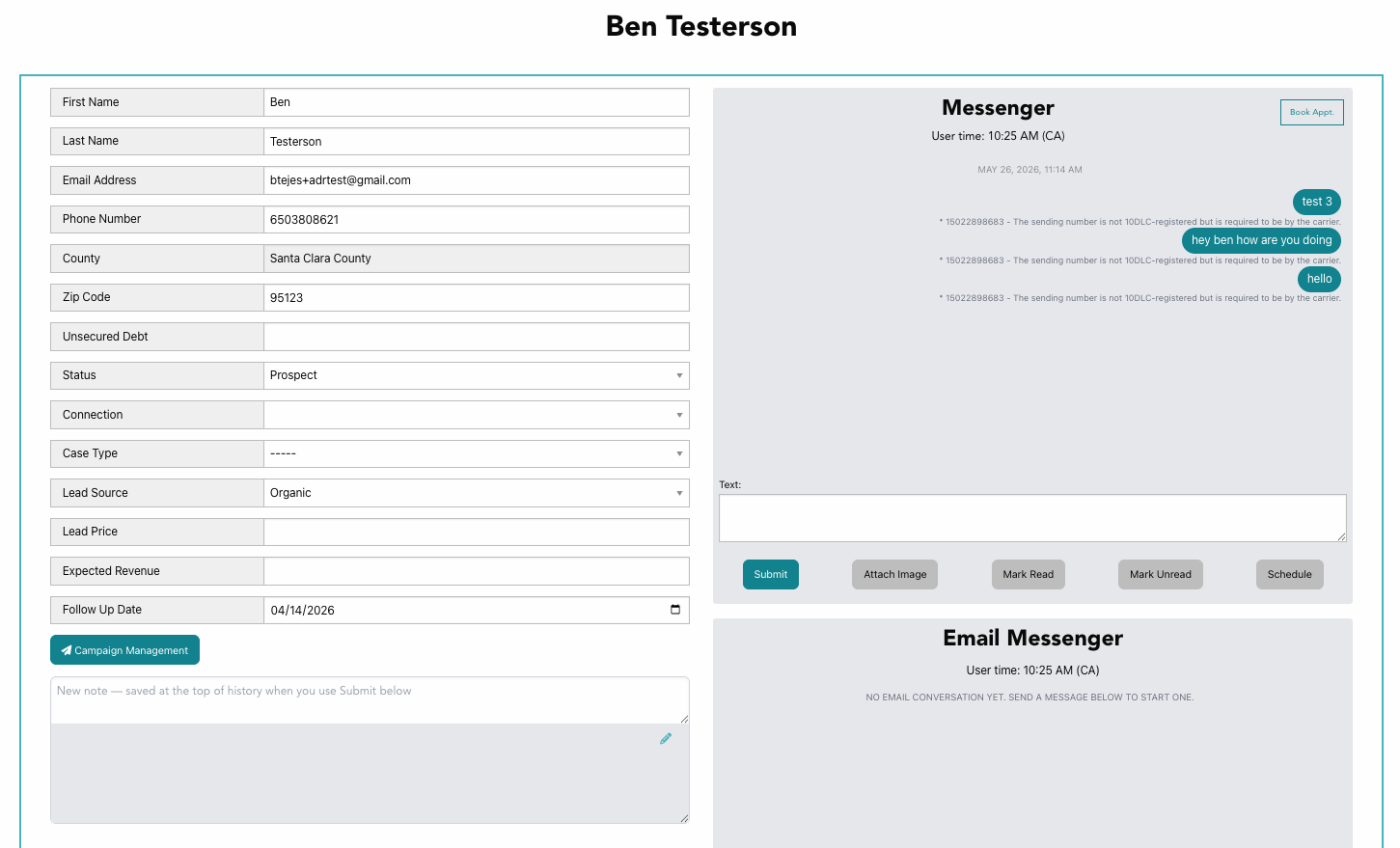
The LRM's goal is to automate all your non-legal work and make the experience from lead to client as smooth as possible. Here are some of the features:
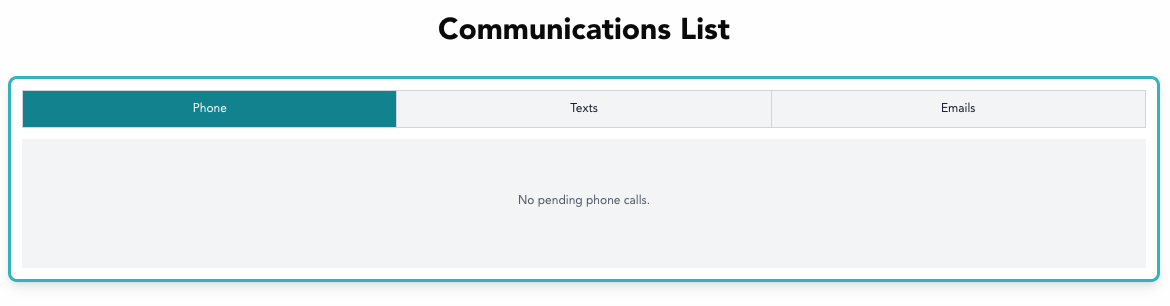
Lead-level texting and emailing in one place
All lead level calling, texting, and emailing in one place
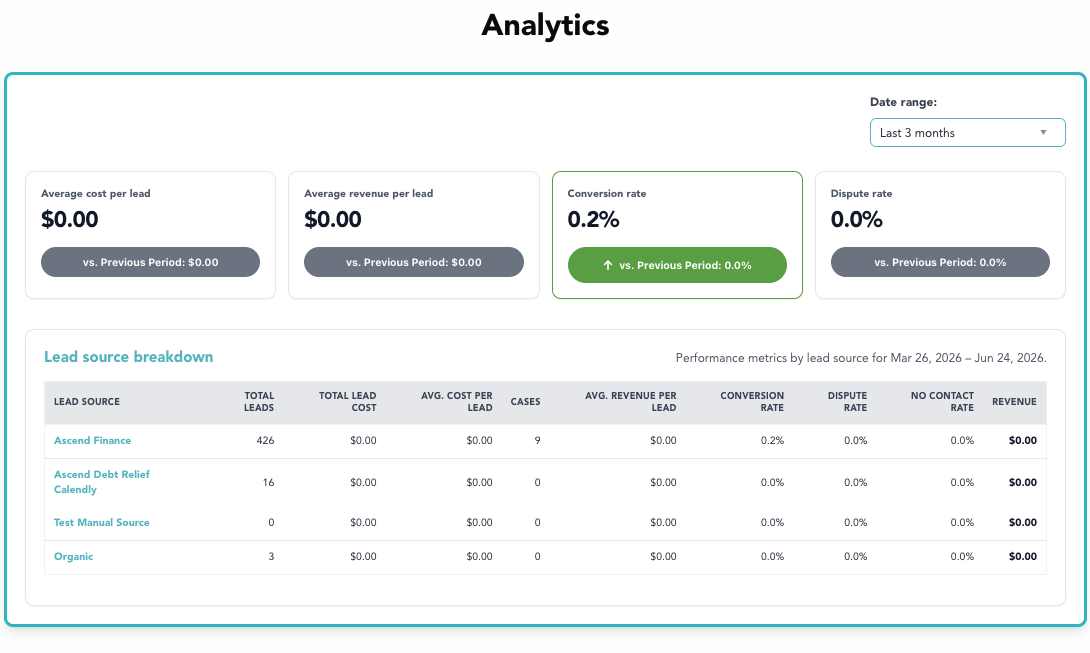
Lead quality analytics
This feature helps you understand how much marketing and advertising dollars you are spending on each lead to help you understand your bankruptcy law firm economics.
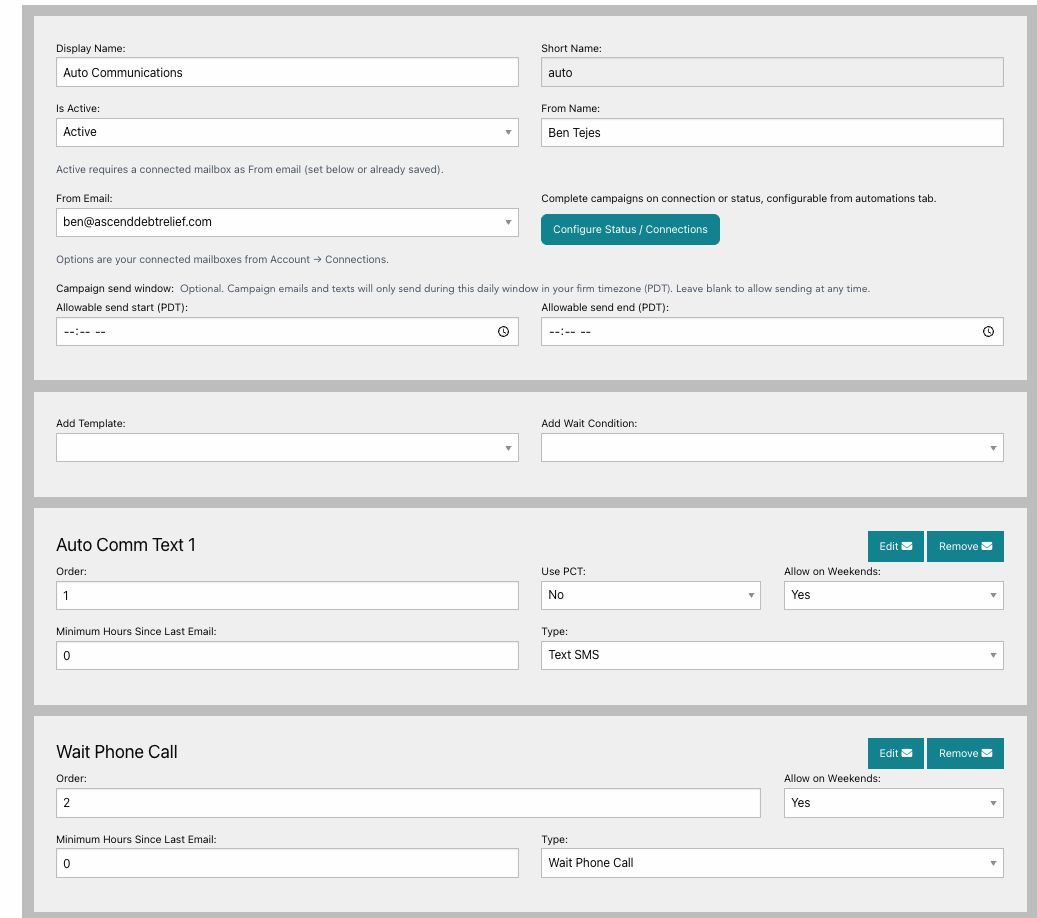
Automated communications
You set what you want (call, text, or email), how you want, and when you want communications to be done, and the system does it automatically.
Let's talk Clio Grow next.
Clio Grow
Many attorneys use Clio Grow because they use Clio for their CRM, but it can be expensive, at around $150 per month. Per above, Clio is not bankruptcy-specific, but is built for many different law verticals.
1. Online intake forms
2. Online appointment booking
3. Automated client emails
4. Automated client workflows
5. Reporting on referrals
6. Local Service Ads for Google
7. Email marketing
8. Reputation Management
9. Website builder
Let me next cover online bankruptcy marketing software available.
Bankruptcy Marketing
There are many bankruptcy marketing services out there, but you may find that they are a dime a dozen, so which ones should you actually trust?
Personally, I learned bankruptcy marketing on my own, and I didn't pay any marketing companies to help me run Google ads or learn Search engine optimization (SEO), but let me cover the gist of it.
To get bankruptcy leads, you need people to be exposed to your firm. That is difficult because many bankruptcy attorneys all competing to be known.
So, for marketing, you can try free marketing that takes time or you can pay for leads.
Free Online Software
The most notable free online software options that you can explore are Google and Microsoft search optimization (SEO) where you show up in the search results, LLM search optimization where you show up on ChatGPT or other LLM searches and the 3-pack Google maps tool.
For example, with Google SEO, you are competing to rank in the top 3 options for "bankruptcy attorney near me". One free online bankruptcy software to sign up for is
Google My Business as that tells Google that you'd like to start showing up in the Google map.
If you are interested in SEO, check out this
free online bankruptcy attorney SEO guide that Your Bankruptcy Marketing put out if you are interested in this option. It has 15 modules that has actionable steps to get started. Please note that this option may take the most time because it takes time to rank on these different websites.
Let's talk about paid online software.
Paid Online Software
For paid online software, I am just going to list options you can look at to see whether any make sense for you and a brief summary from my experience, but I won't spend too much time on it.
The biggest thing to consider is cost per client. How much money do you have to pay in advertising to retain one client on average?
1. Google LSA (High intent, but very expensive)
2. Google Paid Ads (High learning curve, but high volume)
3. Bankruptcy Calculator Leads (Medium Cost, and Medium-High Intent)
4. Social Media including Facebook, Instagram, TikTok (High volume and cheap, but potentially lower intent - use Lookalikes, potentially when possible)
5. Lead Form Leads (Mixed bag - Some high quality and high intent and some very low quality and low intent)
So, it could be helpful to have a marketing budget for various sources to test and see which ones work best for you. A lead relationship manager can help you understand your cost per client because it knows the cost of your traffic sources and how many clients you received from those sources.
Summing It Up
There are so many online bankruptcy software programs out there, and the best bankruptcy software is dependent on what you are looking for.
For example, if you want to book hours with an hour-tracking tool, you can use something like Clio. And, if you want to know your lead economics, you may use something like the Ascend LRM. Regardless, I hope this article was helpful to you to understand the online bankruptcy softwares available to you, 4 different online bankruptcy softwares, different CRM options, 2 different bankruptcy leads relationship managers and various marketing services.